 Unjuiced
Trends
Plain-English trends for today's slate, paired with the best line
- Every trend shows its sample
- Best price attached
- Save with notes
Why Trends
What Trends does for you
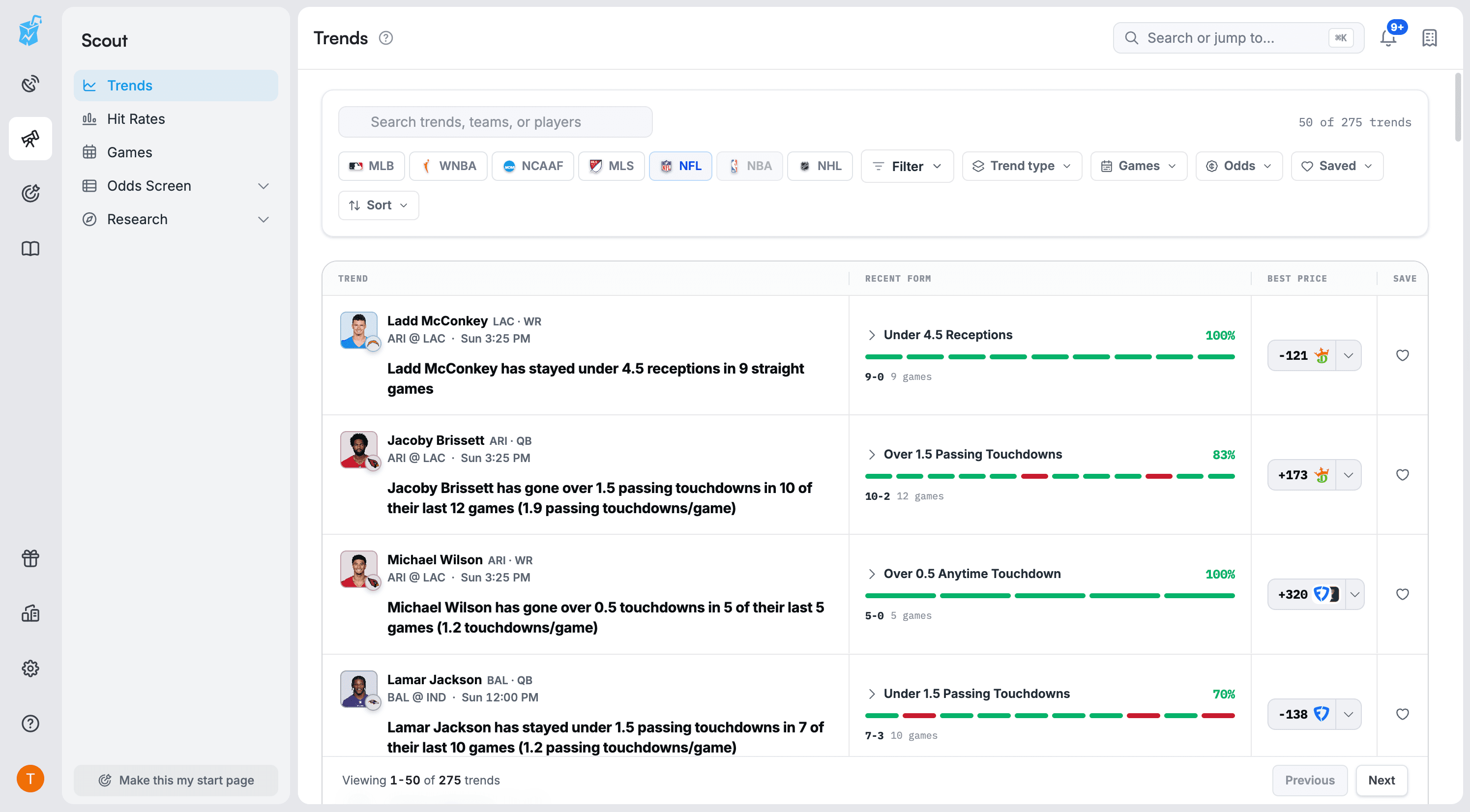
Trends turns recent team and player results into plain-English statements for today's games, then pairs each one with the best available price. Open any trend to inspect the games behind it, compare research windows, and save it with a note to revisit before the game.
Trends in plain English
Each trend reads like a sentence, with the player or team, stat, threshold, and how many games support it.
Evidence, not just a headline
Open a trend to see the individual games, then compare windows like This trend, Last 5, Last 10, Head-to-head, and Season.
Paired with today's price
See the best available line for the matching market next to the trend, so research and price sit in one place.
Save and revisit
Save a trend with a note. The saved view keeps a snapshot and shows what changed since you saved it.
How it works
Trends in 3 steps
- 1
Pick a sport
Choose a league and filter by trend type, games, odds, or saved items.
- 2
Inspect the sample
Read the claim, check the games behind it, and compare it with recent and season form.
- 3
Check the price
Compare today's line and price with the historical condition before you bet.
FAQ
Common questions
Quick answers about Trends.
Is a trend a prediction?
No. A trend describes what happened in a set of past games. It is research context, which is why every trend shows its sample and lets you open the evidence.
Which sports are covered?
Trends follows the active slate. Leagues such as NFL, MLB, WNBA, NCAAF, MLS, and NHL appear when they have games and enough history.
How is Trends different from Hit Rates?
Hit Rates starts from a player prop and measures its history. Trends starts from a pattern and connects it to an upcoming market. They complement each other.
Which plan do I need?
Trends is included with Scout and above. Free accounts see a preview.
Related tools
All toolsPut Trends to work
Trends is included with Scout and above. Start free and upgrade when you're ready.